No Obligation, No Card Details Needed.
What's Included In the Free Recruitment Trial?
3 Free Job Listings
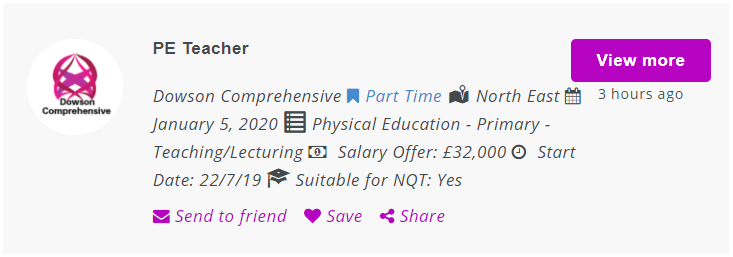
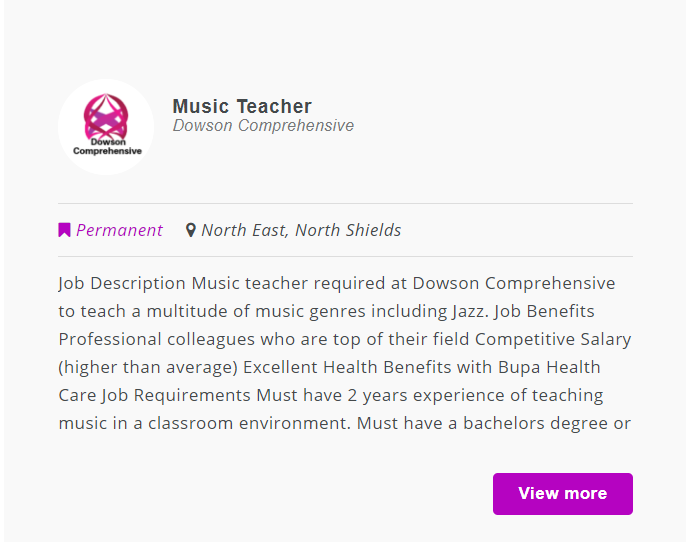
You can try our job listings to see how they are displayed.
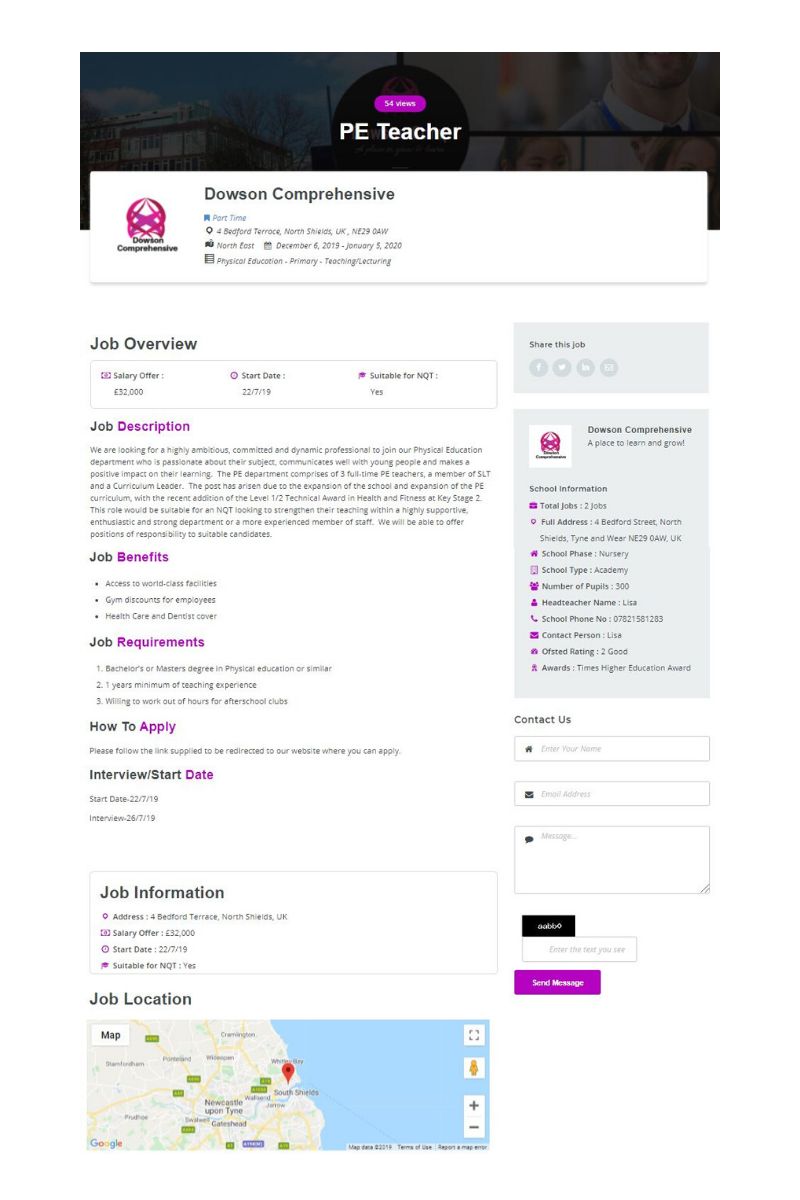
See what information is prominent in your listings, and single page job description.
Featured Jobs
With our free trial, you can boost one of your job listings to be featured.
This means your jobs will be shown prominently around the website for prime viewing.
Nothing Found
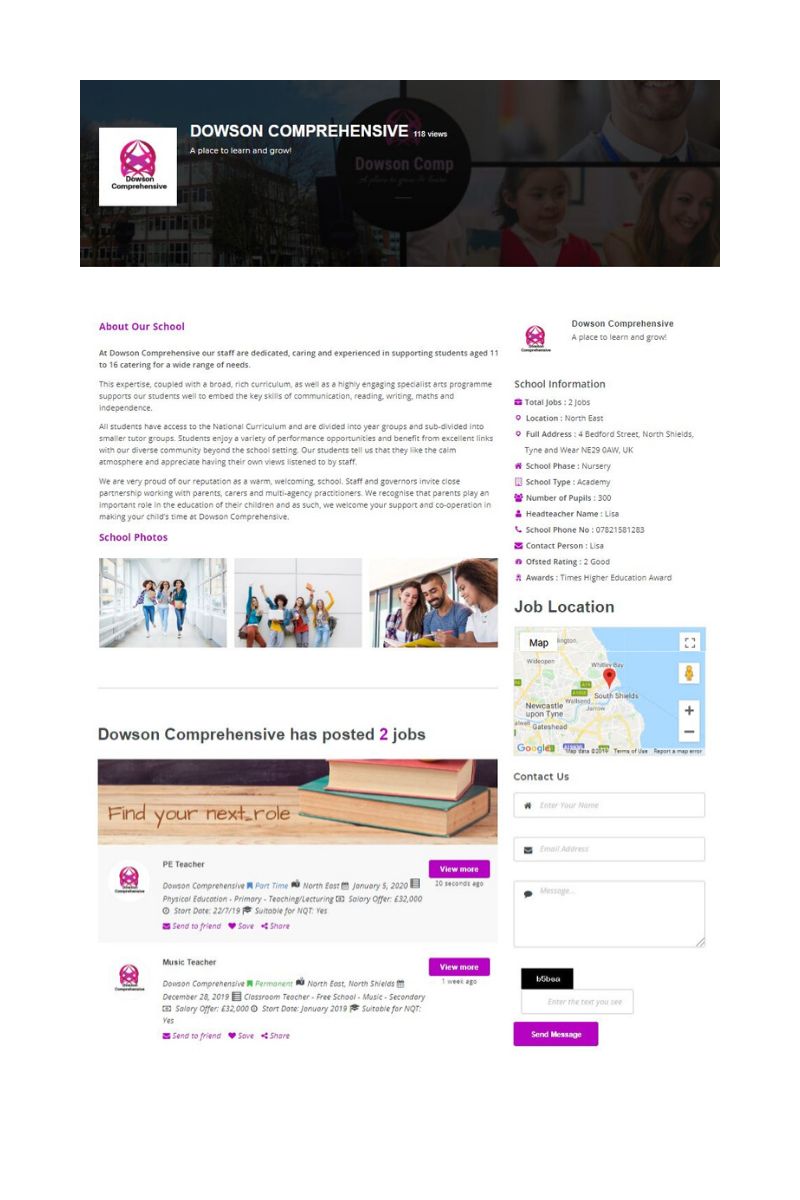
School Profile
Creating a profile for your school is an important part of selling your school to candidates.
With each job vacancy you post, your main school details will be listed alongside the job description.
The candidate can then choose to read your school profile to get an better understanding of your school.
Your school profile is your chance to showcase why a candidate should work for you.
About Us
Give an overview of your school , your reputation, a brief history, what your ethos and goals are and how you are trying to achieve them. Candidates also like to read about current employees and how they are treated and work together as a team. Detail benefits for employees (especially unique benefits), job share, flex-time, health-care etc.
Quick Info
This is all the information they may need at a glance including:
- No. of Vacancies you have
- School Location (with Google Maps)
- School Phase
- Funding Type
- Number of Pupils
- Headteacher’s Name
- School Contact Number
- Nominated Person to Contact
- Ofsted Rating
- Awards
Photos
You can include up to 6 photos to show what your school has to offer. This could be images such as facilities you have, technology that you provide, unique spaces, award ceremonies and classroom layout.
Videos
Along with images, you can also upload a small, short video to promote your school.
Candidate Management Dashboard
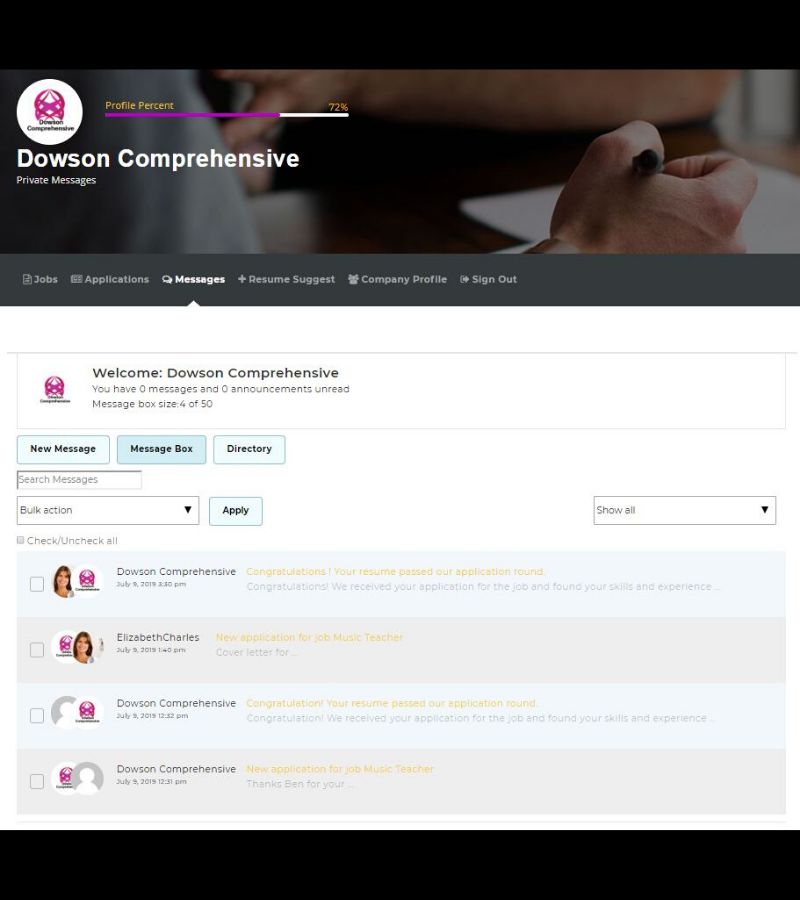
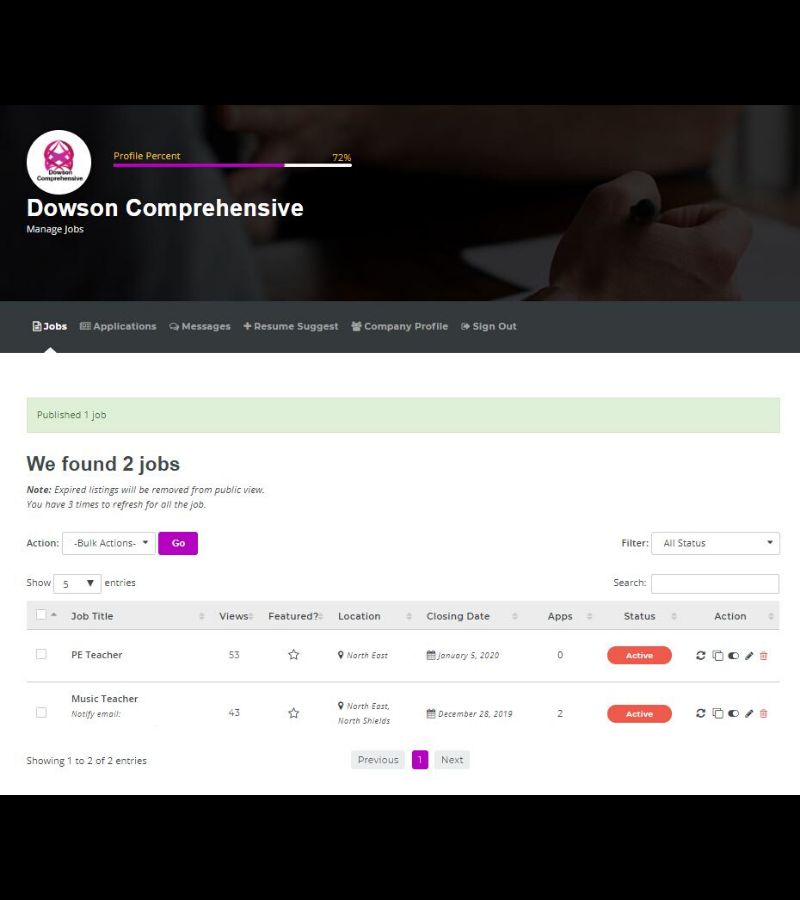
Manage job listings, candidate applications, messages, see suggested resume’s and update your company profile.
Manage Job Listings
Each job listing can be edited at any time, paused, deleted or refreshed to give the listing a longer period of display. You can clone jobs to advertise similar vacancies within your school, saving time and effort.
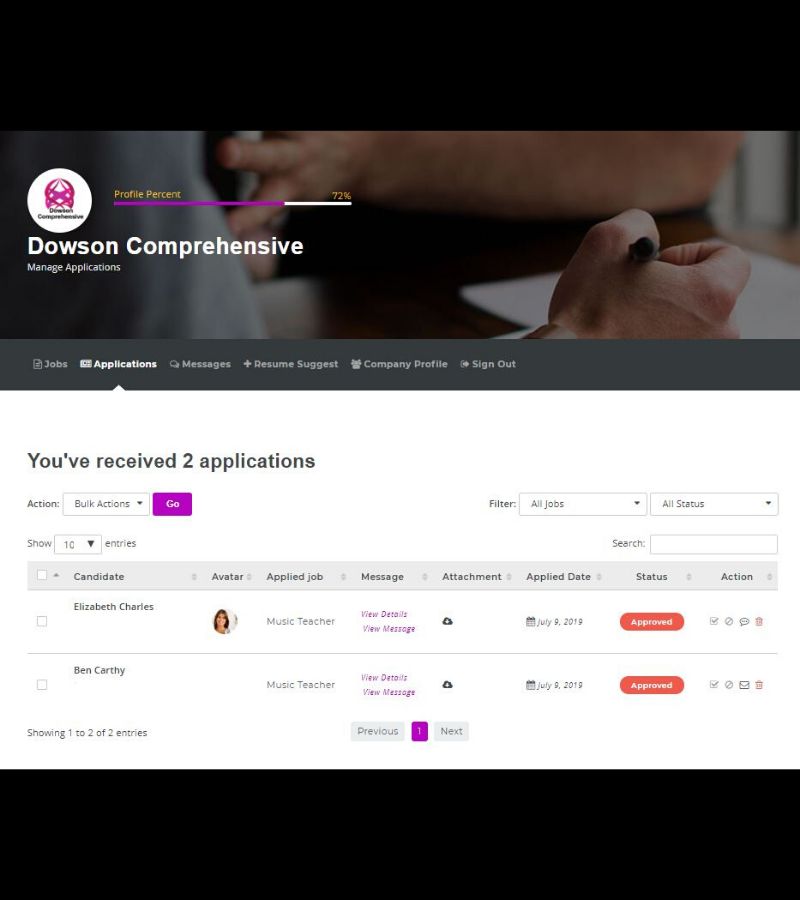
Manage Applications
View and download candidate applications and supporting documents . View additional messages sent with applications. Email or message candidates for further review, then reject or approve candidates for hire.
Manage Messages
Candidates can choose to message your school via job listings and school profile page. These may be enquiries for further information or application packs. Manage candidate messages with search and filters.